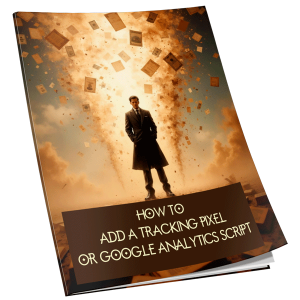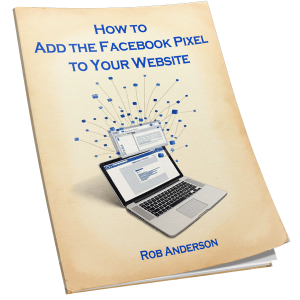
eBook covers are your first and often only chance to grab a reader’s attention in a crowded digital marketplace.
You need to make that moment count.
Your cover isn’t just decoration-it’s a sales tool.
Think of it as your book’s handshake: firm, confident, and memorable.
Start by understanding your genre. Readers expect certain visual cues based on the type of book they’re browsing.
A romance novel with a couple silhouetted against a sunset sends a clear message. A thriller with bold, stark typography and dark tones sets a tense mood.
Study the top 10 bestsellers in your category. Notice patterns in font choices, colour schemes, and imagery. Mimicking these trends doesn’t mean copying-it means speaking the visual language your audience already understands.
Keep your design simple.
Cluttered covers get lost, especially at thumbnail size.
Most people browse eBooks on phones or tablets, where your cover might be no bigger than a postage stamp. Focus on one strong focal point-a striking image, a bold title, or a compelling character.
If your cover doesn’t read clearly at that size, go back and simplify.
Typography matters more than you think.
Your title should be legible and prominent. Choose fonts that match your book’s tone-elegant serifs for historical fiction, clean sans-serifs for self-help, or edgy display fonts for horror. Avoid overly decorative fonts that sacrifice readability.
The author’s name should be visible but not compete with the title.
Test your text on different backgrounds to ensure contrast and clarity.
Colour sets the emotional tone. Warm reds and oranges suggest passion or urgency. Cool blues and greys evoke calm or mystery. Use colour psychology to your advantage, but stay consistent with genre expectations. A bright pink cover might work for a lighthearted romance, but could confuse readers expecting a gritty crime novel.
Hire a professional if you can.
A skilled designer knows how to balance composition, colour, and typography in a way that amateur tools often miss.
If you’re designing it yourself, use high-quality images from reputable stock sites and avoid stretched or pixelated graphics.
Free design tools like Canva or Adobe Express can help, but don’t rely on templates alone-customise every element to fit your book’s voice.
Test your cover before publishing.
Show it to readers in your target audience. Ask them what genre they think it is, what the story might be about, and whether they’d click on it online.
Their feedback is more valuable than your personal taste. A cover you love might not resonate with the people who matter most-your readers.
Your eBook cover doesn’t need to be flashy. It needs to be clear, genre-appropriate, and compelling at a glance.
When done right, it becomes a silent salesperson, working 24/7 to draw readers in and convince them your book is worth their time.