
Work From Home
  • Work From Home Jobs – Free Training – Free Help
  • How to get a free premium WordPress website built for free
  • About
  • My Services
  • Blog
  • Contact Me
    • Privacy Policy
    • Terms Of Use
    • Purchase Disclaimer
Select Page
Home / Craft Business / How to Install the Facebook Pixel on WooCommerce
Sale!
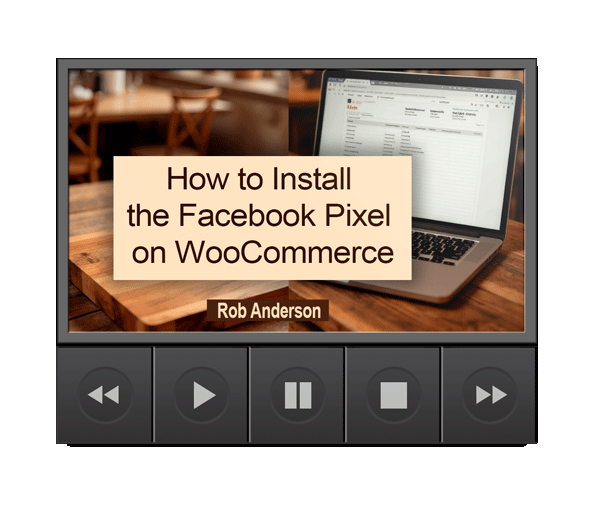
How to Install the Facebook Pixel on WooCommerce
How to Install the Facebook Pixel on WooCommerce - Image 2

How to Install the Facebook Pixel on WooCommerce

$26.00 Original price was: $26.00.$9.00Current price is: $9.00.

The Facebook Pixel is one of the most powerful tools available to any small online shop owner — and most people either haven’t installed it or aren’t sure if it’s working correctly.


This plain-English guide by Rob Anderson of Thingstomakeandsell.com walks you through the entire setup process from scratch, no technical experience required.

🎧 BONUS: The audiobook version is included free with your purchase — listen while you work!

Categories: chopping board business, Craft Business, craft marketing, research, Things to make and sell Tags: craft business marketing, Facebook ads for beginners, Facebook for WooCommerce, Facebook Pixel, install Facebook Pixel, Meta ads, small business ads, WooCommerce advertising, WooCommerce setup, WordPress shop
  • Description
  • Reviews (0)

Description

A Step-by-Step Setup Guide for Craft Sellers and Small Shop Owners

The Smartest Thing You Can Do Before Running a Single Ad

If you’re planning to run Facebook or Instagram ads for your WooCommerce shop, there’s one thing you should do first — before you write a single ad, before you set a budget, and before you spend a single cent. You need to install the Facebook Pixel.

 

The Pixel is a small piece of tracking code that quietly collects data every time someone visits your shop, views a product, or completes a purchase. That data feeds back to Facebook and makes your ads progressively smarter and more cost-effective over time. Without it, you’re running ads blind. With it, you’re building something that compounds.

The good news? If you can install a plugin on WordPress, you can do this. This guide walks you through every step together, in plain language, with nothing assumed and nothing skipped.


What’s Inside

What the Pixel Actually Does

Before touching WordPress, you’ll get a clear, jargon-free explanation of what the Pixel is, how it communicates between your WooCommerce site and your Meta account, and why installing it as early as possible gives you a genuine advantage over sellers who wait.

Setting Up Your Meta Business Account

If you don’t yet have a Meta Business account, this section walks you through creating one from scratch. If you already have one, you’ll be moving on in under a minute. Either way, you’ll understand the difference between your personal Facebook profile and your Business account and why that distinction matters.

Creating Your Pixel in Meta Events Manager

You’ll learn exactly where to find Events Manager inside Meta Business Suite, how to create your Pixel with a few clicks, and how to grab your Pixel ID so you’re ready for the next step.

Installing the Right Plugin on WordPress

There are several Facebook-related plugins in the WordPress directory and it’s easy to install the wrong one. This guide points you directly to the official Meta plugin — Facebook & Instagram for WooCommerce — and walks you through installing and activating it correctly.

Connecting Everything Together

The setup wizard inside the plugin does most of the work, but there are a few choices to make along the way. This section walks you through selecting the right Business account, Facebook Page, Ad Account, and Pixel so that tracking is applied automatically across every product page, checkout page, and order confirmation page on your site — without touching a single line of code.

Verifying That It’s Actually Working

This is the step most people skip and the step that matters most before spending any money on ads. You’ll learn how to use the free Meta Pixel Helper Chrome extension to confirm your Pixel is firing correctly, and how to cross-check activity inside Meta Events Manager so you can move forward with complete confidence.

A Few Things Worth Knowing

The guide wraps up with some honest, practical advice on what to expect in the early weeks, why the Pixel needs time to collect data before it significantly improves your ad performance, and what you need to know about cookie consent and GDPR compliance if any of your customers are based in the UK or Europe.


No Technical Experience Needed

This guide was written specifically for shop owners, not developers. Every step uses plain language, every instruction tells you exactly where to click, and nothing is left vague. If you’ve been putting off installing the Pixel because it sounded complicated, this guide will have you set up and verified in a single sitting.


Who This Guide Is For

This guide is for anyone running a WooCommerce shop on WordPress who wants to run Facebook or Instagram ads and wants to do it properly from the start. It’s particularly useful for craft sellers, handmade product sellers, and small shop owners who are comfortable using WordPress but haven’t worked with Meta’s advertising tools before.

It’s also a genuinely useful reference if you’ve previously attempted to set up the Pixel and aren’t confident it’s working correctly — the verification step alone makes it worth reading.


🎧 Free Audiobook Bonus Included

The audiobook version of this guide is included free with every purchase. If you’d rather listen through the steps while you’re at your desk than read them, the audiobook has you covered.


About the Author

Rob Anderson is the owner of Thingstomakeandsell.com and helps craft sellers and small business owners build effective, independent online businesses. He offers a free keyword research training course, done-for-you keyword bundles, and done-for-you self-hosted WordPress websites for sellers who want to focus on selling rather than the technical setup.


Purchase today and get instant access to the PDF guide plus your free audiobook bonus.
Reviews

There are no reviews yet.

Be the first to review “How to Install the Facebook Pixel on WooCommerce” Cancel reply

Your email address will not be published. Required fields are marked *

Related products

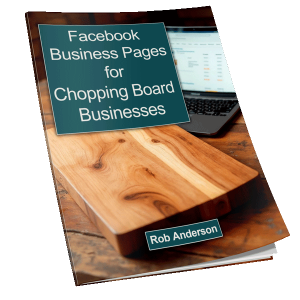
  • Sale! Facebook Business Pages for Chopping Board Businesses — The Book

    Facebook Business Pages for Chopping Board Businesses — The Book

    $27.00 Original price was: $27.00.$13.00Current price is: $13.00.
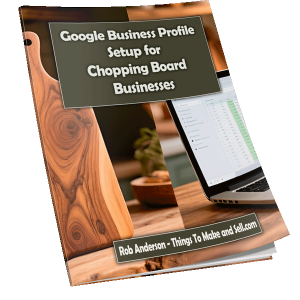
  • Sale! Google Business Profile Setup for Chopping Board Businesses — The Best Ways to Get Sales in Your Local City or Area.

    Google Business Profile Setup for Chopping Board Businesses — The Best Ways to Get Sales in Your Local City or Area.

    $47.00 Original price was: $47.00.$24.00Current price is: $24.00.
  • Sale! The BOARD Method: A Simple 5-Step System to Make Way More Money From Your Cutting Boards

    The BOARD Method: A Simple 5-Step System to Make Way More Money From Your Cutting Boards

    $57.00 Original price was: $57.00.$22.00Current price is: $22.00.

Overview on Making money online

Full explanation here

Amazing App Making Biz Idea

See how you could start making apps for a living today. Seriously easy – newbie friendly

Make Money Writing

See what you need to know to start making money writing content for others – Start today for free.

Do you make courses?

If you can create courses, videos or your own software, this page will explain a lot more about making money that way.

Fairs and Festivals

Find all the fairs and Festivals you need here – CLICK HERE

Writing Fiction and non fiction for money.

I love this one – see how easy it is to start to write books for a living. Writing books and Ebook for profit.

MY Online Marketing Services

If you need a service, a website, some SEO work done or more – check out what I can do for your business here.

Crafts To Make and Sell

Membership Money making websites

Do membership websites make real money? Damned right they do, but you should see if you are a fit for the system or not here…

Manage Cookie Consent
To provide the best experiences, we use technologies like cookies to store and/or access device information. Consenting to these technologies will allow us to process data such as browsing behavior or unique IDs on this site. Not consenting or withdrawing consent, may adversely affect certain features and functions.
Functional Always active
The technical storage or access is strictly necessary for the legitimate purpose of enabling the use of a specific service explicitly requested by the subscriber or user, or for the sole purpose of carrying out the transmission of a communication over an electronic communications network.
Preferences
The technical storage or access is necessary for the legitimate purpose of storing preferences that are not requested by the subscriber or user.
Statistics
The technical storage or access that is used exclusively for statistical purposes. The technical storage or access that is used exclusively for anonymous statistical purposes. Without a subpoena, voluntary compliance on the part of your Internet Service Provider, or additional records from a third party, information stored or retrieved for this purpose alone cannot usually be used to identify you.
Marketing
The technical storage or access is required to create user profiles to send advertising, or to track the user on a website or across several websites for similar marketing purposes.
  • Manage options
  • Manage services
  • Manage {vendor_count} vendors
  • Read more about these purposes
View preferences
  • {title}
  • {title}
  • {title}